

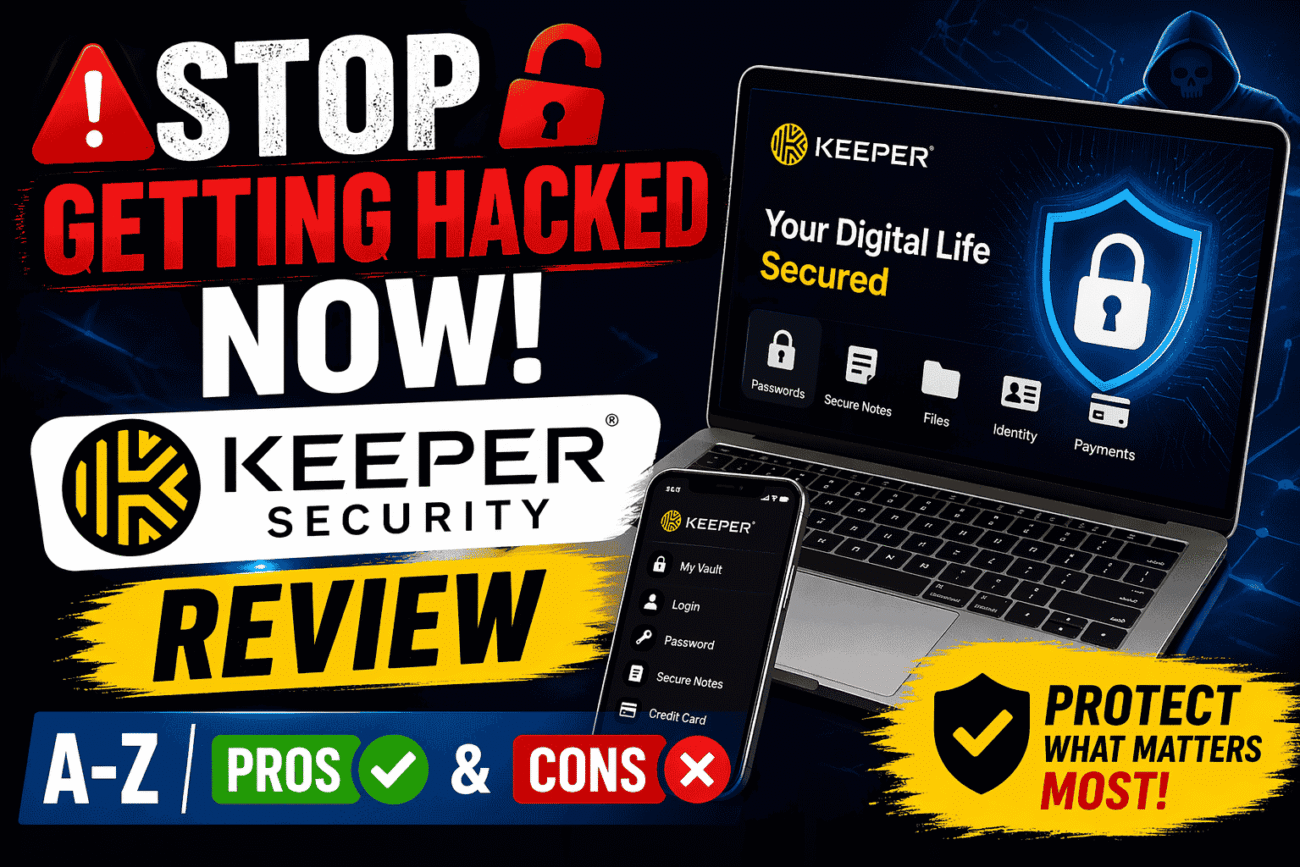
What Is Keeper Security and Why It Matters Today
If you’ve ever reused the same password across multiple accounts, you’re not alone—and unfortunately, that habit is exactly what hackers love. Keeper Security steps into this chaos as a powerful password manager designed to lock down your digital life. But what makes it stand out in a sea of cybersecurity tools? And more importantly, can it really help you stop getting hacked?
At its core, Keeper Security is a zero-knowledge password manager that stores and protects your passwords, sensitive files, and private data inside an encrypted vault. Think of it like a digital safe—except even the company itself can’t peek inside. That’s a big deal in a world where data breaches seem to happen almost daily.
Your Passwords will always be secure with Keeper! Try Keeper FreeThe importance of tools like Keeper has skyrocketed because of how we live online today. Between banking apps, social media, streaming services, and work platforms, the average person manages 70–100 passwords. Trying to remember them all leads to risky shortcuts—like weak passwords or writing them down in notes apps. Keeper eliminates that risk by generating, storing, and auto-filling strong passwords for you.

What makes Keeper particularly appealing is its blend of simplicity and military-grade security. It’s not just built for tech experts; it’s designed for everyday users who want protection without complexity. Whether you’re an individual trying to secure personal accounts or a business safeguarding sensitive data, Keeper adapts to your needs.
So why does this matter right now? Because cybercrime is no longer a distant threat—it’s personal, immediate, and constantly evolving. Tools like Keeper aren’t just convenient anymore—they’re essential.
The Growing Threat of Cyber Attacks
Cyber threats aren’t just increasing—they’re evolving at a pace that’s hard to keep up with. According to recent cybersecurity reports, over 80% of data breaches are caused by weak or reused passwords. That statistic alone paints a clear picture: passwords are the weakest link in digital security.
Hackers today don’t rely solely on brute force attacks. They use sophisticated methods like phishing, credential stuffing, and social engineering to exploit human behavior. For example, if one of your accounts gets compromised in a breach, attackers can use those same login credentials across dozens of other platforms. That’s how one small mistake snowballs into a full-blown identity theft situation.
What makes this even more concerning is how automated cybercrime has become. Bots can attempt thousands of login combinations per second, meaning weak passwords don’t stand a chance. And if you think, “I’m not important enough to be targeted,” think again—most attacks are random, not personal.
This is where Keeper Security changes the game. By generating complex, unique passwords for every account, it removes the human error factor entirely. You don’t have to think about creating secure passwords—it does it for you.
Another growing concern is data privacy. With increasing regulations and awareness, users want assurance that their information isn’t being misused. Keeper’s zero-knowledge architecture ensures that only you have access to your data—not even Keeper’s employees.
In a digital world where threats are constantly lurking, relying on memory or basic security measures is like locking your front door but leaving the windows wide open. Keeper acts as a full security system—not just a lock.
How Password Managers Solve Modern Security Problems
Let’s be honest—managing passwords manually is a losing battle. Between remembering dozens of credentials and trying to keep them secure, it’s easy to fall into bad habits. That’s exactly the problem password managers like Keeper are built to solve.
At a fundamental level, Keeper simplifies your digital life by storing all your login details in one secure, encrypted vault. Instead of remembering dozens of passwords, you only need to remember one master password. Everything else is handled automatically.
But the real magic lies in its password generation feature. Keeper creates strong, random passwords that are nearly impossible to crack. These aren’t your typical “Password123” combinations—they’re complex strings of characters that dramatically increase your security.
Another major benefit is autofill functionality. Imagine logging into your favorite websites without typing a single character. Keeper detects login fields and fills in your credentials instantly. Not only is this convenient, but it also reduces the risk of phishing attacks since it won’t autofill credentials on fake websites.
Keeper also goes beyond just passwords. It allows you to store sensitive information like:
- Credit card details
- Secure notes
- Identity documents
- Private files
This turns it into a complete digital security hub, not just a password manager.
One underrated feature is dark web monitoring. Keeper can alert you if your credentials appear in known data breaches, giving you a chance to act before damage is done.
In essence, Keeper doesn’t just fix password problems—it transforms how you interact with digital security. It removes friction, reduces risk, and gives you peace of mind in a way that manual methods simply can’t match.
Key Features of Keeper Security
When you first open Keeper Security, it might seem like just another password manager—but dig a little deeper, and you’ll realize it’s more like a full-fledged digital fortress. What makes Keeper stand out isn’t just one flashy feature; it’s the way multiple layers of security and usability come together seamlessly. It’s designed not only to store your data but to actively protect and manage it in a way that feels effortless.
One of the most compelling aspects of Keeper is how it blends advanced security with everyday convenience. You’re not forced to choose between safety and usability—both are baked into the experience. For instance, Keeper’s password generator creates highly complex passwords instantly, removing the guesswork and temptation to reuse weak ones. But it doesn’t stop there. It also stores those passwords in a structured, searchable vault, making retrieval quick and intuitive.
Another standout feature is secure file storage. Unlike many password managers that focus solely on login credentials, Keeper allows you to store sensitive files like passports, contracts, and personal documents. These files are encrypted with the same level of protection as your passwords, turning Keeper into a secure digital locker.
You also get cross-platform synchronization, which means your vault is accessible from your phone, tablet, or desktop without compromising security. Everything updates in real time, so you’re never stuck without access when you need it most. Add to that dark web monitoring, breach alerts, and secure sharing options, and you’ve got a tool that actively works behind the scenes to keep you safe.
What really makes Keeper powerful is how these features don’t feel overwhelming. Instead, they work quietly in the background, letting you go about your digital life without constantly worrying about security gaps. It’s like having a personal bodyguard for your online identity—always present, rarely intrusive, and incredibly effective.
Zero-Knowledge Encryption Explained
The phrase “zero-knowledge encryption” gets thrown around a lot in cybersecurity, but what does it actually mean for you as a user? In simple terms, it means that only you have access to your data—no one else, not even Keeper itself. That’s not just a marketing claim; it’s a fundamental design principle that defines how the entire platform operates.
Here’s how it works: when you create a master password, Keeper uses it to encrypt your vault locally on your device before anything is sent to their servers. This means your data is already scrambled into unreadable code before it even leaves your hands. Since Keeper never sees or stores your master password, they have no way to decrypt your information. Even if their servers were compromised, attackers would only find encrypted data that’s virtually impossible to decode without your key.
This approach significantly reduces the risk of insider threats or large-scale data leaks. Compare that to services that store encryption keys on their servers—those systems introduce a potential point of failure. Keeper eliminates that risk entirely by ensuring you are the only gatekeeper of your information.
Now, you might be wondering: what happens if you forget your master password? That’s the trade-off. Because Keeper doesn’t store your key, they can’t recover it for you. While this might sound inconvenient, it’s actually a sign of true security. However, Keeper does offer secure account recovery options, like biometric authentication and backup codes, to help mitigate this risk.
In a world where trust is often misplaced, zero-knowledge encryption flips the script. It removes the need to trust the provider and instead puts control squarely in your hands. That’s not just secure—it’s empowering.
Password Vault and Autofill Capabilities
Imagine walking into a room where every important detail of your digital life is organized, secured, and instantly accessible. That’s essentially what Keeper’s password vault feels like. It’s not just a storage space—it’s an intelligent system designed to simplify how you manage sensitive information.
The vault allows you to store an unlimited number of passwords, organized into folders or categories for easy navigation. Whether it’s your banking credentials, social media logins, or work-related accounts, everything has its place. You can even add custom fields, notes, and attachments, making each entry as detailed as you need.
But the real game-changer is autofill functionality. Keeper integrates with your browser and mobile apps to automatically detect login fields and fill in your credentials. This doesn’t just save time—it also enhances security. Why? Because Keeper only autofills on legitimate websites, reducing the risk of falling for phishing scams. If a site doesn’t match the stored domain, Keeper won’t fill in your details, acting as a silent warning system.
Another underrated feature is auto-login, which takes convenience a step further by logging you in instantly after autofilling your credentials. It’s a small touch, but it makes a big difference in daily use.
Keeper also supports secure sharing, allowing you to share passwords with trusted individuals without exposing the actual credentials. This is especially useful for teams or families who need access to shared accounts.
All of this works together to create a system that’s not only secure but genuinely enjoyable to use. Instead of juggling passwords or resetting them constantly, you get a smooth, reliable experience that feels almost invisible. And in the world of cybersecurity, that kind of simplicity is rare.
Keeper Security User Experience
Security tools often have a reputation for being complicated or intimidating, but Keeper flips that narrative. From the moment you start using it, the focus on user experience is obvious. It’s designed for real people—not just IT professionals—so everything feels intuitive, responsive, and surprisingly approachable.
What stands out immediately is how Keeper balances power with simplicity. You’re dealing with advanced encryption and security protocols, yet the interface doesn’t overwhelm you with technical jargon. Instead, it guides you through each step, making the onboarding process smooth even if you’re new to password managers.
The dashboard is clean and well-organized, with clear categories and easy navigation. You can quickly access your vault, generate new passwords, or check security alerts without digging through menus. It’s the kind of design that makes you feel in control rather than confused.
Performance is another strong point. Whether you’re accessing Keeper on a desktop browser or a mobile app, everything loads quickly and runs smoothly. Autofill works reliably, and syncing between devices is almost instantaneous. That consistency builds trust—you know the tool will work when you need it.
Keeper also offers customization options, allowing you to tailor the experience to your preferences. From organizing your vault to setting security levels, you have the flexibility to make it your own.
In a space where usability often takes a backseat to security, Keeper manages to excel at both. It proves that you don’t have to sacrifice convenience to stay protected—and that’s a big win for everyday users.
Ease of Setup and Installation
Getting started with Keeper is refreshingly straightforward, even if you’re not particularly tech-savvy. The setup process is designed to remove friction and get you protected as quickly as possible. You simply download the app or browser extension, create an account, and set your master password—the one key that unlocks everything else.
From there, Keeper walks you through the basics with helpful prompts and tutorials. It can even import existing passwords from browsers or other password managers, saving you the hassle of entering everything manually. This is a huge time-saver, especially if you already have dozens of saved credentials scattered across different platforms.
The installation process is equally smooth across devices. Whether you’re using Windows, macOS, iOS, or Android, Keeper provides consistent functionality and a unified experience. Once installed, your vault syncs automatically, so you can switch between devices without missing a beat.
One thing worth noting is how Keeper encourages good security habits right from the start. It nudges you to enable multi-factor authentication (MFA) and offers guidance on creating a strong master password. These small steps make a big difference in overall security.
What makes the setup process stand out is how it feels guided but not restrictive. You’re given clear instructions without being overwhelmed, making it easy to get up and running quickly. Within minutes, you go from having scattered, vulnerable passwords to a centralized, secure system.
That kind of quick transformation is rare—and it’s one of the reasons Keeper appeals to both beginners and experienced users alike.
Interface Design and Navigation
A password manager can have the strongest encryption in the world, but if it feels clunky or confusing, most people simply won’t use it. That’s where Keeper Security’s interface design quietly shines. It doesn’t try to impress with flashy visuals or over-the-top animations—instead, it focuses on clarity, structure, and ease of movement. The result is an interface that feels natural, almost like it’s anticipating what you want to do next.
When you open the Keeper dashboard, everything is laid out in a way that just makes sense. Your vault entries are neatly organized, and you can quickly sort them into folders, search for specific credentials, or filter results. There’s no digging through endless menus or guessing where things are hidden. It’s all right there, accessible within a click or two.
Navigation is equally smooth across devices. Whether you’re on desktop or mobile, the experience remains consistent. That consistency is crucial because it builds familiarity. You don’t have to relearn the system every time you switch devices, which is often a pain point with other tools. Keeper avoids that completely by maintaining a unified design language.
Another thoughtful touch is how Keeper uses visual cues and icons to simplify actions. For example, adding a new record, generating a password, or sharing credentials is visually guided, reducing the chance of mistakes. Even if you’re not particularly tech-savvy, you’ll find yourself navigating confidently within minutes.
Customization also plays a role here. You can personalize how your vault is structured, rename folders, and prioritize frequently used entries. This makes the experience feel tailored rather than generic. It’s like organizing your own workspace—you set it up in a way that works best for you.
Ultimately, Keeper’s interface doesn’t just support its functionality—it enhances it. It removes friction, reduces confusion, and makes secure behavior feel effortless. And when security tools become easy to use, people are far more likely to stick with them.
Security Architecture and Technology
If Keeper’s interface is the friendly face, its security architecture is the steel backbone holding everything together. This is where things get serious—and where Keeper proves it’s not just another password manager but a high-grade cybersecurity solution.
At the heart of Keeper’s technology is a layered defense system designed to protect your data from every angle. It doesn’t rely on a single method of protection; instead, it combines encryption, authentication, and continuous monitoring to create a robust shield against threats. Think of it like a modern fortress—not just walls, but surveillance systems, guards, and multiple locked gates.
One of the standout elements is Keeper’s commitment to end-to-end encryption. Your data is encrypted on your device before it’s transmitted, and it remains encrypted at all times. This ensures that even if someone intercepts your data in transit, they won’t be able to read it.
Keeper also integrates real-time threat detection features, such as breach monitoring and alerts. If your credentials are found in a data breach, you’ll be notified immediately so you can take action. This proactive approach is crucial because it shifts security from being reactive to preventative.
Another key component is its secure cloud infrastructure. Keeper uses highly secure data centers with strict access controls and continuous monitoring. Combined with its zero-knowledge model, this creates an environment where your data is protected both logically and physically.
What makes Keeper’s architecture impressive is how it balances complexity with usability. All these advanced technologies operate behind the scenes, so you don’t have to think about them. You just use the app—and it quietly does the heavy lifting.
Encryption Standards and Protocols
When it comes to protecting sensitive data, not all encryption is created equal. Keeper doesn’t cut corners here—it uses AES-256-bit encryption, which is widely considered the gold standard in cybersecurity. This is the same level of encryption used by governments and financial institutions, which should give you an idea of how serious it is.
To put it into perspective, AES-256 is so secure that brute-forcing it would take billions of years with current computing power. That’s not an exaggeration—it’s a practical impossibility. So when your data is encrypted with this standard, it’s essentially locked away behind an unbreakable barrier.
Keeper also employs PBKDF2 (Password-Based Key Derivation Function 2) to strengthen your master password. This adds multiple layers of hashing, making it significantly harder for attackers to guess or crack your credentials. Even if someone tried to use advanced cracking tools, the process would be painfully slow and ineffective.
Another important protocol is end-to-end encryption, which ensures that data remains encrypted throughout its entire journey—from your device to Keeper’s servers and back. There’s never a point where your information is exposed in plain text.
Keeper also supports Elliptic Curve Cryptography (ECC) for secure key exchange, adding yet another layer of protection. These protocols work together like a multi-lock system—each one reinforcing the others.
What’s reassuring is that Keeper is transparent about its security practices. It undergoes regular third-party audits and certifications, ensuring that its systems meet industry standards. This isn’t just about claims—it’s about verified trust.
Multi-Factor Authentication Options
Even the strongest password can benefit from an extra layer of protection, and that’s exactly what multi-factor authentication (MFA) provides. Keeper takes this seriously by offering a wide range of MFA options, giving you flexibility without compromising security.
At its simplest, MFA requires you to verify your identity using something you know (your password) and something you have (like your phone). Keeper supports popular methods such as Google Authenticator, Microsoft Authenticator, and SMS-based codes. But it doesn’t stop there.
For those who want even stronger protection, Keeper offers biometric authentication, including fingerprint and facial recognition. This is especially useful on mobile devices, where convenience matters just as much as security. You can unlock your vault in seconds without typing anything, yet still maintain a high level of protection.
Keeper also supports hardware security keys like YubiKey. These physical devices add an extra barrier against unauthorized access, making it nearly impossible for attackers to break in without having the key in hand.
What’s impressive is how Keeper integrates these options seamlessly. You’re not forced into a one-size-fits-all approach—you can choose the method that fits your lifestyle and risk level. Whether you’re a casual user or someone handling sensitive business data, there’s an MFA setup that works for you.
This layered approach to authentication significantly reduces the risk of account compromise. Even if your master password were somehow exposed, an attacker would still need to bypass additional verification steps.
Pricing Plans and Value for Money
Security often comes at a price, but the real question is whether that price feels justified. With Keeper Security, the answer largely depends on how much you value your digital safety—and how many features you plan to use.
Keeper offers a range of pricing plans tailored to different types of users. Whether you’re an individual looking to secure personal accounts or a business managing a team, there’s a plan designed to fit your needs. The flexibility here is a big advantage because it means you’re not paying for features you don’t need.
For individuals, Keeper’s personal plans include essential features like password storage, autofill, and secure sharing. There are also premium tiers that unlock advanced tools such as dark web monitoring and secure file storage. These extras can make a significant difference, especially if you’re concerned about identity theft or data breaches.
Businesses, on the other hand, get access to more robust features like team management, role-based access control, and enterprise-level security policies. This makes Keeper a strong contender in the corporate cybersecurity space.
Here’s a quick comparison:
| Plan Type | Key Features | Best For |
|---|---|---|
| Personal | Password vault, autofill, MFA | Individual users |
| Family | Shared vaults, multiple accounts | Households |
| Business | Admin controls, team sharing | Small to large teams |
| Enterprise | Advanced security, compliance tools | Large organizations |
What stands out is the value-to-feature ratio. While Keeper isn’t the cheapest option on the market, it offers a level of security and functionality that justifies the cost. You’re not just paying for convenience—you’re investing in protection.
Personal vs Business Plans
Choosing between Keeper’s personal and business plans comes down to how you intend to use the platform. If you’re managing your own passwords and maybe sharing a few accounts with family members, the personal or family plans are more than sufficient. They provide all the core features you need without unnecessary complexity.
The family plan is particularly useful because it allows multiple users to have their own private vaults while sharing selected items securely. This is ideal for households that need access to shared subscriptions or financial accounts.
Business plans, however, take things to another level. They’re designed for organizations that need to manage multiple users, enforce security policies, and monitor activity. Features like admin dashboards, audit logs, and role-based permissions make it easier to maintain control over sensitive data.
One key difference is scalability. Business plans are built to grow with your organization, offering tools that adapt as your team expands. Personal plans, while powerful, are more focused on individual use.
Is Keeper Worth the Price?
So, is Keeper Security actually worth paying for? The honest answer is yes—but with a bit of context. If you’re someone who only uses a handful of accounts and doesn’t store sensitive data online, you might feel that a free solution is enough. But for anyone who values privacy, security, and convenience, Keeper quickly proves its worth.
Think about what’s at stake: your bank accounts, emails, personal documents, and even your identity. A single breach can cost far more than a yearly subscription. In that sense, Keeper isn’t an expense—it’s a form of insurance.
What tips the scale further is the quality of features you get. From zero-knowledge encryption to advanced MFA and secure file storage, Keeper delivers a comprehensive security package. It’s not just about storing passwords—it’s about protecting your entire digital footprint.
Another factor is peace of mind. Knowing that your data is सुरक्षित and accessible only to you removes a significant amount of stress. You don’t have to worry about remembering passwords or falling victim to common cyber threats.
For most users, that combination of security and simplicity makes Keeper a worthwhile investment.
Pros and Cons of Keeper Security
No cybersecurity tool is perfect, and pretending otherwise would only set you up for disappointment. Keeper Security does a lot of things exceptionally well, but it also comes with a few trade-offs that are worth understanding before you commit. Think of it like buying a high-end car—it may have incredible performance and safety features, but you’ll still want to know about fuel efficiency and maintenance costs.
What makes Keeper stand out is how heavily it leans into security-first design without completely sacrificing usability. That’s a delicate balance, and for the most part, Keeper pulls it off. However, some of its strongest security decisions—like strict zero-knowledge encryption—can introduce minor inconveniences, especially for less experienced users.
The real value of looking at pros and cons isn’t just to weigh features but to understand how the tool fits into your lifestyle. Are you someone who prioritizes maximum protection, even if it means a slight learning curve? Or do you want something ultra-simple, even if it compromises a bit on security? Keeper tends to favor the former, and that’s important to keep in mind.
Another factor to consider is how Keeper evolves. It’s not a static product—new features, updates, and improvements are rolled out regularly. This means some drawbacks today might not exist tomorrow, which is always a good sign in the fast-moving world of cybersecurity.
Let’s break things down clearly so you can see both sides of the picture without any fluff or bias.
Major Advantages
One of the biggest strengths of Keeper is its uncompromising approach to security. The zero-knowledge architecture ensures that your data remains private, even from the company itself. In an era where data misuse is a real concern, this level of privacy is not just impressive—it’s necessary.
Another major advantage is the breadth of features. Keeper isn’t just a password manager; it’s a complete digital security solution. From password generation and autofill to secure file storage and dark web monitoring, it covers multiple aspects of online safety. This all-in-one approach reduces the need for additional tools, which can simplify your digital life significantly.
The user experience also deserves credit. Despite its advanced capabilities, Keeper manages to remain accessible. The interface is clean, navigation is intuitive, and features like autofill work reliably across platforms. This makes it easier for users to adopt good security habits without feeling overwhelmed.
Cross-platform compatibility is another win. Whether you’re on a smartphone, tablet, or desktop, Keeper delivers a consistent experience. This flexibility is crucial in today’s multi-device world, where you might switch between devices multiple times a day.
Security enhancements like multi-factor authentication, biometric login, and hardware key support add extra layers of protection. These features give users control over how secure they want their accounts to be, which is a level of customization not all competitors offer.
Lastly, Keeper’s business and enterprise solutions are robust enough to compete with top-tier corporate security tools. Features like role-based access control and audit logs make it a viable option for organizations, not just individuals.
Potential Drawbacks
As strong as Keeper is, there are a few areas where it might not be the perfect fit for everyone. One of the most commonly mentioned drawbacks is its pricing structure. While it offers excellent value, some advanced features—like dark web monitoring and secure file storage—are locked behind higher-tier plans or add-ons. For budget-conscious users, this can feel limiting.
Another point to consider is the learning curve for beginners. While the interface is user-friendly, the sheer number of features can feel overwhelming at first. Users who are completely new to password managers might need a bit of time to fully understand and utilize everything Keeper offers.
The zero-knowledge model, while highly secure, also comes with a trade-off: account recovery limitations. If you forget your master password and don’t have recovery options set up, regaining access can be difficult. This is not a flaw but rather a consequence of strong security—but it’s still something users need to be aware of.
Some users have also noted that the free version is quite limited compared to competitors. While it provides basic functionality, many of Keeper’s best features are reserved for paid plans. This can make it harder to fully evaluate the product without committing financially.
Lastly, while Keeper integrates well with most browsers and platforms, there can occasionally be minor autofill inconsistencies on less common websites. These issues are rare and usually resolved quickly, but they can still be a slight inconvenience.
Keeper vs Competitors
Choosing a password manager isn’t just about features—it’s about finding the right fit among several strong contenders. Keeper Security competes with well-known names like LastPass and 1Password, each offering its own approach to digital security. So how does Keeper stack up?
The first thing that stands out is Keeper’s security-first philosophy. While most password managers prioritize convenience, Keeper leans heavily into privacy and encryption. This makes it particularly appealing for users who are serious about protecting sensitive data.
Another differentiator is its feature depth. Keeper offers a wide range of tools beyond basic password management, including secure file storage and advanced authentication options. This gives it an edge over simpler solutions that focus only on login credentials.
However, competitors sometimes excel in areas like ease of onboarding or pricing flexibility. That’s why it’s important to compare them directly rather than relying on general impressions.
Keeper vs LastPass
LastPass has long been a popular choice, mainly because of its user-friendly interface and generous free plan. It’s often seen as the go-to option for beginners. However, Keeper takes a different approach by focusing more on security and privacy.
One key difference lies in their architecture. Keeper’s zero-knowledge model is stricter, ensuring that no user data is accessible to the company. LastPass, while secure, has faced security incidents in the past, which has led some users to reconsider their trust.
Feature-wise, both platforms offer password storage, autofill, and multi-factor authentication. However, Keeper pulls ahead with secure file storage and more advanced encryption protocols. On the flip side, LastPass may feel slightly easier to use for those new to password managers.
Pricing is another factor. LastPass offers a more robust free tier, while Keeper requires a paid plan to unlock its full potential. So if budget is your primary concern, LastPass might seem more appealing initially.
That said, for users who prioritize maximum security and long-term reliability, Keeper often comes out on top.
Keeper vs 1Password
1Password is another strong competitor, known for its polished interface and seamless user experience. It strikes a balance between security and usability, making it a favorite among both individuals and teams.
When compared to Keeper, 1Password feels slightly more refined in terms of design and onboarding. It’s incredibly easy to set up and start using, which can be a big advantage for beginners.
However, Keeper edges ahead in security customization and advanced features. Options like hardware key support, detailed access controls, and secure file storage give it a more robust security profile. For users who want granular control over their data, Keeper offers more flexibility.
Another difference is in pricing and feature bundling. 1Password includes many features in its base plans, while Keeper sometimes offers them as add-ons. Depending on your needs, this could make one option more cost-effective than the other.
Ultimately, the choice between Keeper and 1Password comes down to priorities. If you value ease of use and a polished experience, 1Password is a strong contender. If you want maximum security and feature depth, Keeper has the edge.
Real User Reviews and Expert Opinions
It’s one thing to look at features and specifications, but real-world feedback often tells a more complete story. Keeper Security consistently receives strong ratings from both users and cybersecurity experts, which says a lot about its reliability.
User reviews ხშირად highlight the peace of mind that comes with using Keeper. Many people mention how it simplifies their digital lives while making them feel more secure. The ability to store everything in one place—passwords, documents, and sensitive information—is frequently praised.
Experts in the cybersecurity field also recognize Keeper’s strengths. It’s often recommended for its zero-knowledge encryption, strong authentication options, and enterprise-grade security features. These endorsements add credibility, especially for users who want reassurance from trusted sources.
Of course, no product is without criticism. Some users mention pricing concerns or the initial learning curve, but these issues are generally outweighed by the benefits.
What Users Are Saying
Across platforms like Trustpilot and app stores, Keeper typically maintains high ratings (often 4.5 stars or above). Users frequently highlight its reliability, ease of use, and strong security features.
A common theme in reviews is how Keeper helps users break bad password habits. Instead of reusing simple passwords, they start relying on generated ones, significantly improving their security.
Another recurring point is customer support. Many users report positive experiences, noting that issues are resolved quickly and efficiently.
Insights from Cybersecurity Experts
Cybersecurity professionals often emphasize the importance of zero-knowledge architecture, and Keeper consistently meets that standard. Experts also appreciate its use of AES-256 encryption and advanced authentication methods, which align with industry best practices.
Some experts compare Keeper to enterprise-level solutions, noting that it offers similar capabilities at a more accessible price point. This makes it a strong option for both individuals and businesses.
Final Verdict: Should You Use Keeper Security?
If your goal is to stop getting hacked and take control of your digital security, Keeper Security makes a compelling case. It combines strong encryption, a wide range of features, and a user-friendly experience into a package that works for both beginners and advanced users.
It’s not the cheapest option, and it may take a little time to fully explore its capabilities, but the payoff is significant. You get a tool that doesn’t just store passwords—it actively protects your online identity.
For anyone serious about privacy, security, and convenience, Keeper is more than worth considering. It’s not just a password manager—it’s a long-term investment in your digital safety.
FAQs
1. Is Keeper Security safe to use?
Yes, Keeper uses AES-256 encryption and zero-knowledge architecture, making it one of the safest password managers available.
2. Can Keeper be hacked?
No system is completely immune, but Keeper’s encryption makes it extremely difficult for attackers to access user data.
3. Does Keeper offer a free plan?
Yes, but it’s limited. Most advanced features are available in paid plans.
4. What happens if I forget my master password?
Keeper cannot recover it due to its zero-knowledge design, but recovery options can be set up in advance.
5. Is Keeper better than LastPass or 1Password?
It depends on your priorities, but Keeper stands out for its security and advanced features.
